
- Companies
-
- Admin
- Account Options
- Pricing settings
- PDF and Email Template system preferences
- Locations
- Brand Customisation
- Product Categories
- Product Groups
- Enable Time Billing
- Customising Assets
- Custom Fields
- Delivery Resources
- Delivery Options
- Reporting Preferences
- Sales & purchase settings
- Calendar Settings
- Messaging settings
- Repeated Invoice frequency
- Company Settings
- Credit Settings
- Sales Regions
- Asset Settings
- Ticket settings
- Relationships
- Proposal-based Quotes
- Customising Training
- Prefix/Sequences settings (Record Numbering)
- Creating SMS Templates
- Invoice Settings
- Creating Email Templates
- Creating Letter Templates
- Using Letter Templates
- Using SMS Templates
- Using Email Templates
- Setting up Teams
- System security
- Users
- Activate a new User account
- Log into a User account
- Managing Connections
- Calculating Landed Costs
- Resources
- Payment Methods
- Payment Terms
- Couriers
- PDF Templates
- Service Reports
- Quote Form Templates
- System Quote Preferences
- Credit Control
- Setting up Teams
- Regional Settings
Delivery Options
From Admin > General > Delivery Options you can set preferences to do with managing your own deliveries using Sales Orders.
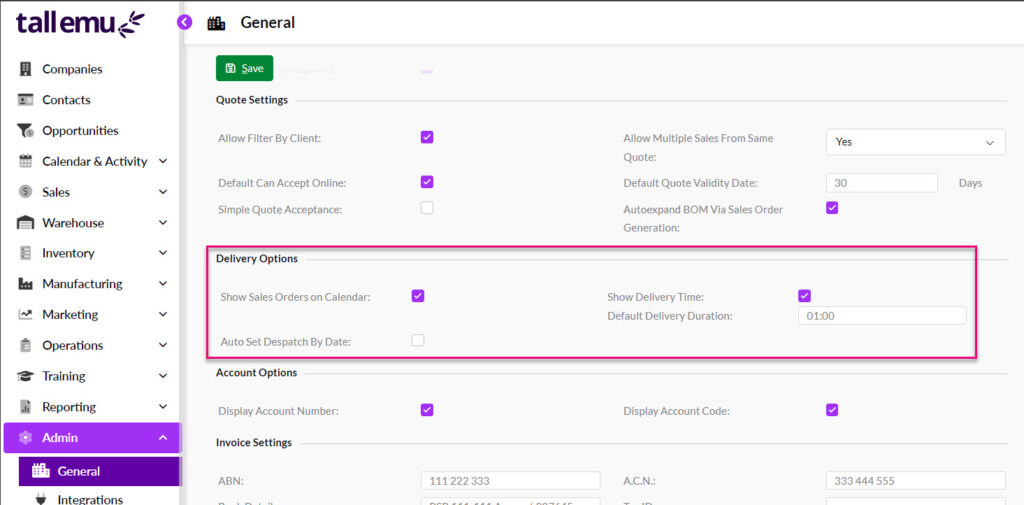
Following is the purpose of each field:
- Show Sales Orders on Calendar – ensure this box is ticked so that you can view and schedule your deliveries in Calendar View within the Sales Order module.
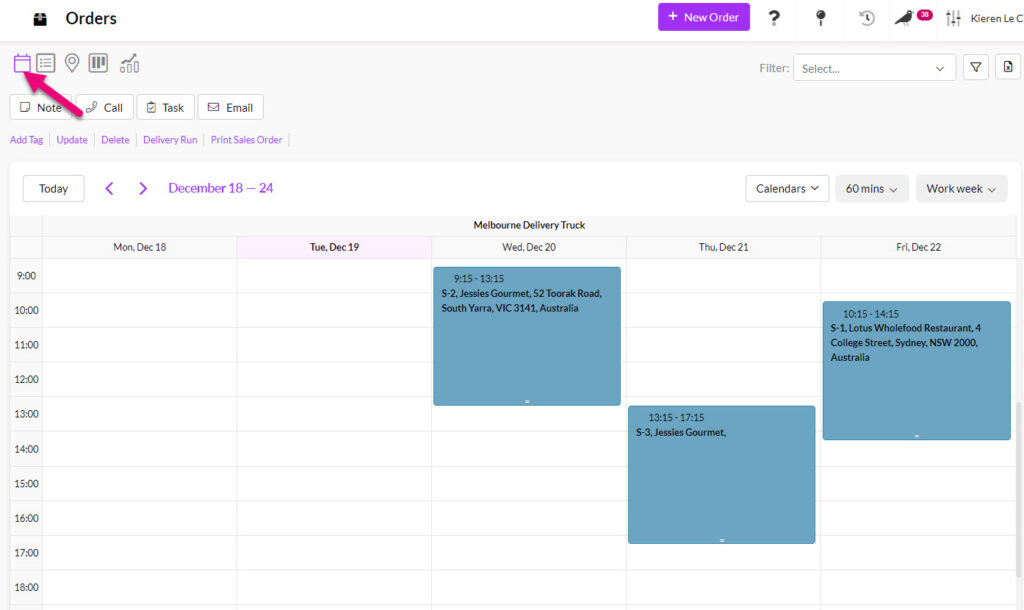
- Show Delivery Time – ensure this box is ticked so that the Delivery Date and Delivery Time fields are shown on the Sales Order. Values added to these fields, in conjunction with the Default Delivery Duration field value will mean that the time allocated to the delivery is shown as a calendar Meeting.
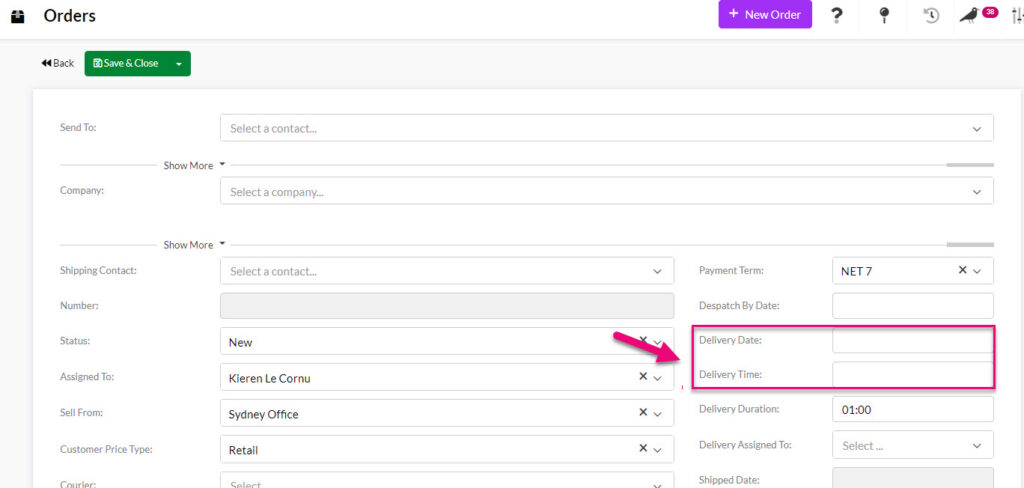
Delivery Date & Time fields on a Sales Order
- Default Delivery Duration – this field is in HH:MM format and allows you to select a period of time that will apply as default for each delivery in the Delivery Duration field on Sales Orders.
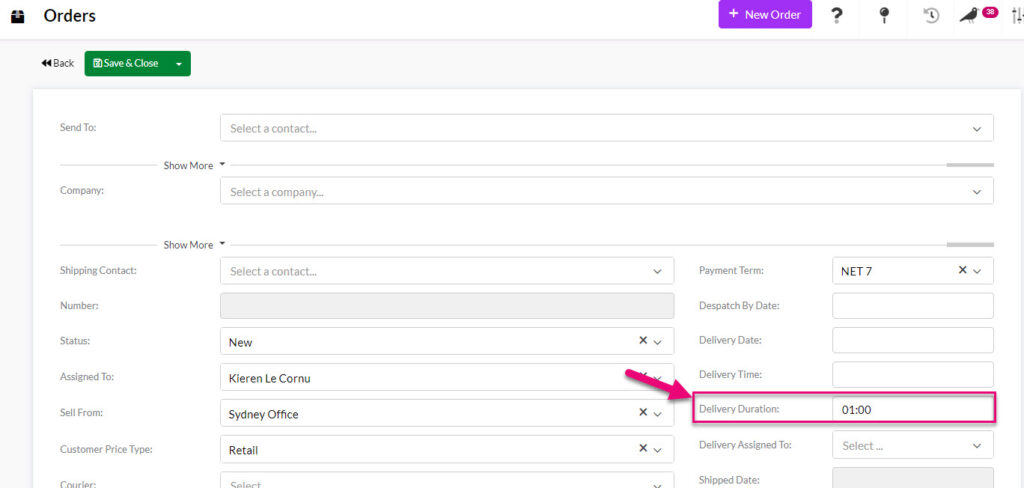
Delivery Duration field on Sales Orders
- Auto Set Despatch By Date – once this box is ticked, the field for Default Despatch Lead Time will be visible and you can input a number of days.

The value input here will populate into the Despatch Date field on Sales Orders.
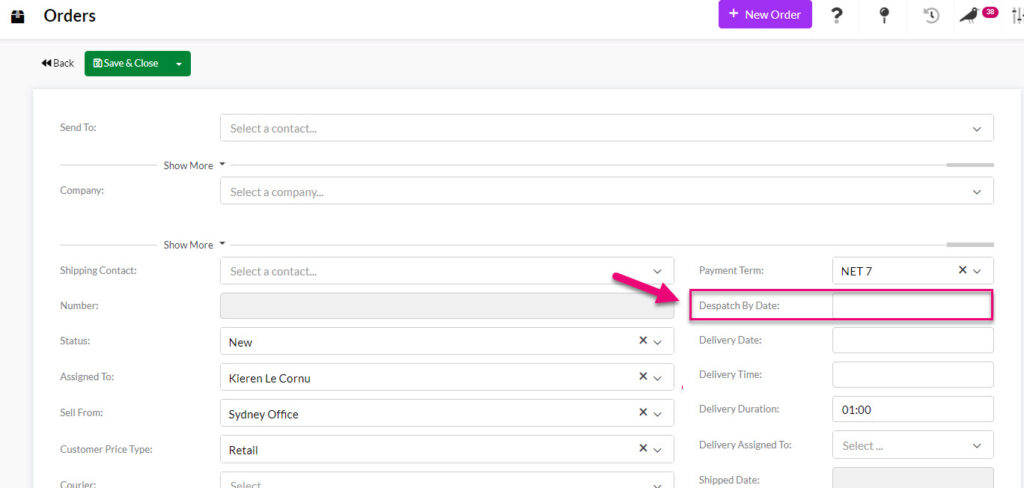
Despatch By field on a Sales Order
Related articles